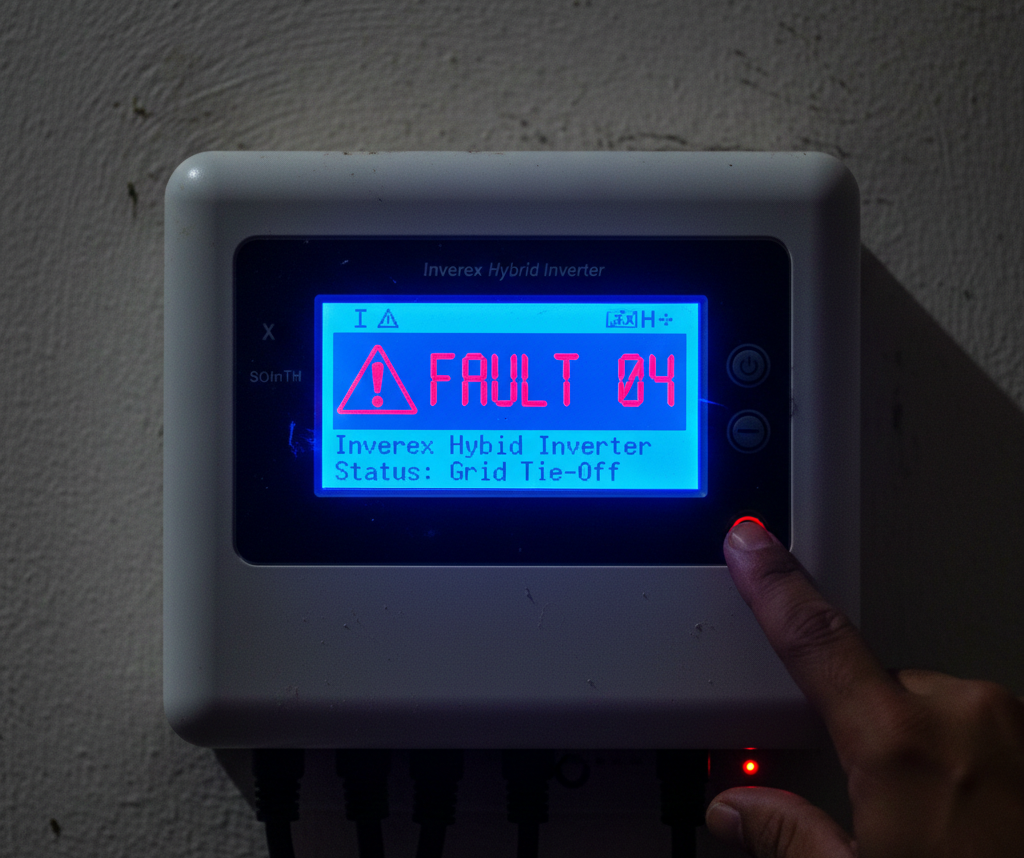
Is your solar inverter beeping continuously? Has your electricity suddenly gone off while the sun is shining? Are you looking for a reliable Solar Inverter Fault Codes Solution to fix your electricity issues? You are in the right place.
Don’t panic! In Pakistan, where voltage fluctuation and load shedding are common, solar inverters often show error codes to protect themselves. These codes (like Fault 04, 07, or 01) are not always a sign of damage. They are just the inverter’s way of saying, “Hey, something is wrong, please check me.”
Most of the time, you can fix these errors yourself without calling a technician or paying 5000 rupees for a visit.
In this simple guide, I will explain the most common Solar Inverter Fault Codes for popular brands like Inverex, Growatt, Tesla, and Fronus. I will also tell you how to fix them easily.
⚠️ Safety First: Read Before You Touch!
Before you touch any wire or button, remember:
- High Voltage: Solar inverters have very high DC voltage (400V+) which can be fatal.
- Dry Hands: Never touch the inverter with wet hands.
- Do Not Open: Never try to open the inverter casing unless you are a certified engineer.
The “Magic Trick”: Universal Reset
Before checking specific codes, try this simple trick. It fixes 50% of inverter problems (like hanging or glitching).
How to Reset Your Inverter:
- Turn OFF the Solar Breaker (PV input).
- Turn OFF the Battery Breaker.
- Turn OFF the Wapda (Grid) Input Breaker.
- The inverter screen will go blank. Wait for 2 minutes.
- Now, turn them ON in this order: Battery -> Solar -> Wapda.
If the reset works, you don’t need a complex Solar Inverter Fault Codes Solution, just a simple restart. If the error is gone, congratulations! If the error comes back, check the codes below.
1. Fault 04: Low Battery Voltage (Most Common)
This is the most common error in Pakistan, especially during long load shedding hours or at night.
- What it means: Your battery is empty. The voltage has dropped below the limit (e.g., 42V for a 48V system), and the inverter cannot support the load.
- Why it happens: You are running heavy loads (Iron, AC, Pump) on batteries for too long.
- How to Fix:
- Turn off heavy appliances immediately.
- Let the solar panels charge the batteries.
- If it happens at night, turn on the “Grid Charging” switch to charge from Wapda.
If your batteries are old and facing this error frequently, it might be time to replace them. Check our guide on the Best Solar Battery in Pakistan 2025.
2. Fault 07: Overload
This error usually comes with a loud continuous Beep-Beep-Beep.
- What it means: You are asking the inverter to give more power than its capacity. For example, running a 4kW load on a 3kW inverter.
- Why it happens: Someone turned on the Iron (Istari) or Electric Heater while the AC was already running.
- How to Fix:
- Check your house load. Turn off extra lights, fans, and especially the Iron or Pump.
- Restart the inverter (using the power button). The error should go away.
3. Fault 01: Fan Fault
This happens frequently in dusty cities like Lahore, Multan, and Karachi.
- What it means: The cooling fans inside the inverter are stuck or running slow.
- Why it happens: Dust, spider webs, or lizards (chipkali) have blocked the fan.
- How to Fix:
- Use a leaf blower (air blower) to clean the dust from the bottom and top vents.
- Do not put a stick or screwdriver inside the fan while it is running.
4. Fault 08 or 09: Bus Voltage High
This is a slightly technical error.
- What it means: The internal DC voltage is too high.
- Why it happens: Sudden change in load or unstable Wapda voltage. Sometimes, it happens if solar panels are producing too much voltage on a cold sunny day.
- How to Fix:
- Restart the inverter.
- If it happens daily, call a technician to check your solar panel series connection. You might have too many panels in one string.
5. Warning 19 or 20: Battery Disconnected
- What it means: The inverter cannot “see” the battery.
- Why it happens: A loose wire, a melted breaker, or carbon on battery terminals.
- How to Fix:
- Check the battery breaker. Is it tripped?
- Tighten the nuts on the battery terminals.
- Check if the wire is loose at the inverter input.
Quick Solar Inverter Fault Codes Solution Cheat Sheet
Here is a summary table for Inverex, Tesla, and similar Voltronic-based inverters:
| Error Code | Meaning | Solution |
| 01 | Fan Locked | Clean fans with air blower. |
| 02 | Over Temperature | Inverter is too hot. Turn off load for 10 mins. |
| 03 | Battery Over Voltage | Check battery settings (Bulk/Float voltage). |
| 04 | Low Battery | Charge battery, reduce load. |
| 05 | Output Short Circuit | Wiring issue. Unplug appliances and check. |
| 07 | Overload | Turn off heavy appliances immediately. |
| 09 | Bus Soft Start Fail | Internal component fault. Call technician. |
| 51 | Over Current | Restart inverter. If repeats, call technician. |
When Should You Call a Technician?
Sometimes, a DIY Solar Inverter Fault Codes Solution is risky, especially for hardware faults like Error 09. You can fix Fault 04, 07, and 01 yourself. However, if you see Fault 09, 51, 52, or 53, these are usually internal hardware failures (Main Board or Capacitor blown).
- Do not try to repair this yourself.
- Take the inverter to the company service center (Inverex, Growatt, etc.) for a warranty claim.
We hope this Solar Inverter Fault Codes Solution guide helped you save money on technician fees.
Conclusion
We hope this guide gave you the best Solar Inverter Fault Codes Solution for your home system. Solar inverters are smart machines. Error codes are there to save your expensive system from burning. Next time your inverter beeps, don’t worry. Just look at the code, check this guide, and fix it easily.
To prevent these errors from happening in the first place, follow a regular Solar System Maintenance Checklist.
Pro Tip: Keep a printed copy of this list near your inverter for emergencies!